User Registration
When customer access to the Pay Hub is enabled, designated users follow a streamlined registration process to set up their account and gain access to payment management functionality.
Registration Process
The following steps outline the complete user registration journey from initial invitation to Hub access.
Step 1: Invitation Email
New users receive an invitation email containing their access credentials and registration instructions.
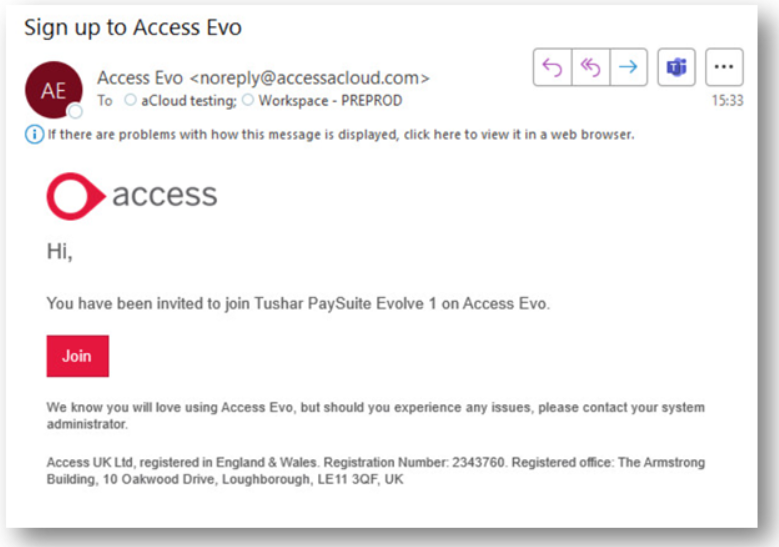
The invitation email includes:
- Welcome message and account details
- Secure registration link
- Instructions for completing account setup
Step 2: Account Setup
Clicking the registration link opens a secure account setup page where users create their login credentials.
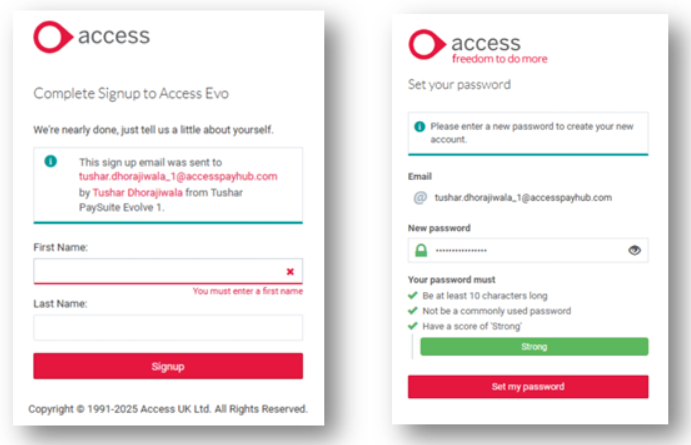
Users complete their registration by:
- Entering their full name for account identification
- Creating a secure password meeting Access Identity requirements
- Confirming their account details
Step 3: Accessing the Payment Hub
After successful registration, users can access the Group Payments Hub through the Access platform navigation.
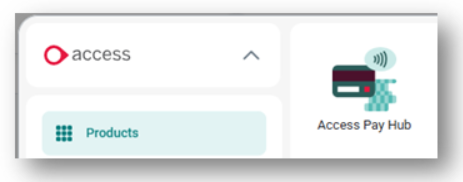
Post-Registration
Once registration is complete, users have immediate access to:
- Complete payment transaction history
- Refund processing capabilities
- Dispute and chargeback management
- Comprehensive reporting and analytics
- Account management and user administration tools